
Your website may look professional, have great content, and offer excellent products or services—but if it isn’t optimised for search engines, potential customers may never find it. Many websites lose valuable organic traffic because of hidden SEO issues such as broken links, slow loading speeds, duplicate content, poor mobile usability, or missing metadata. These problems often go unnoticed until rankings begin to decline.
This is where an SEO audit becomes essential.
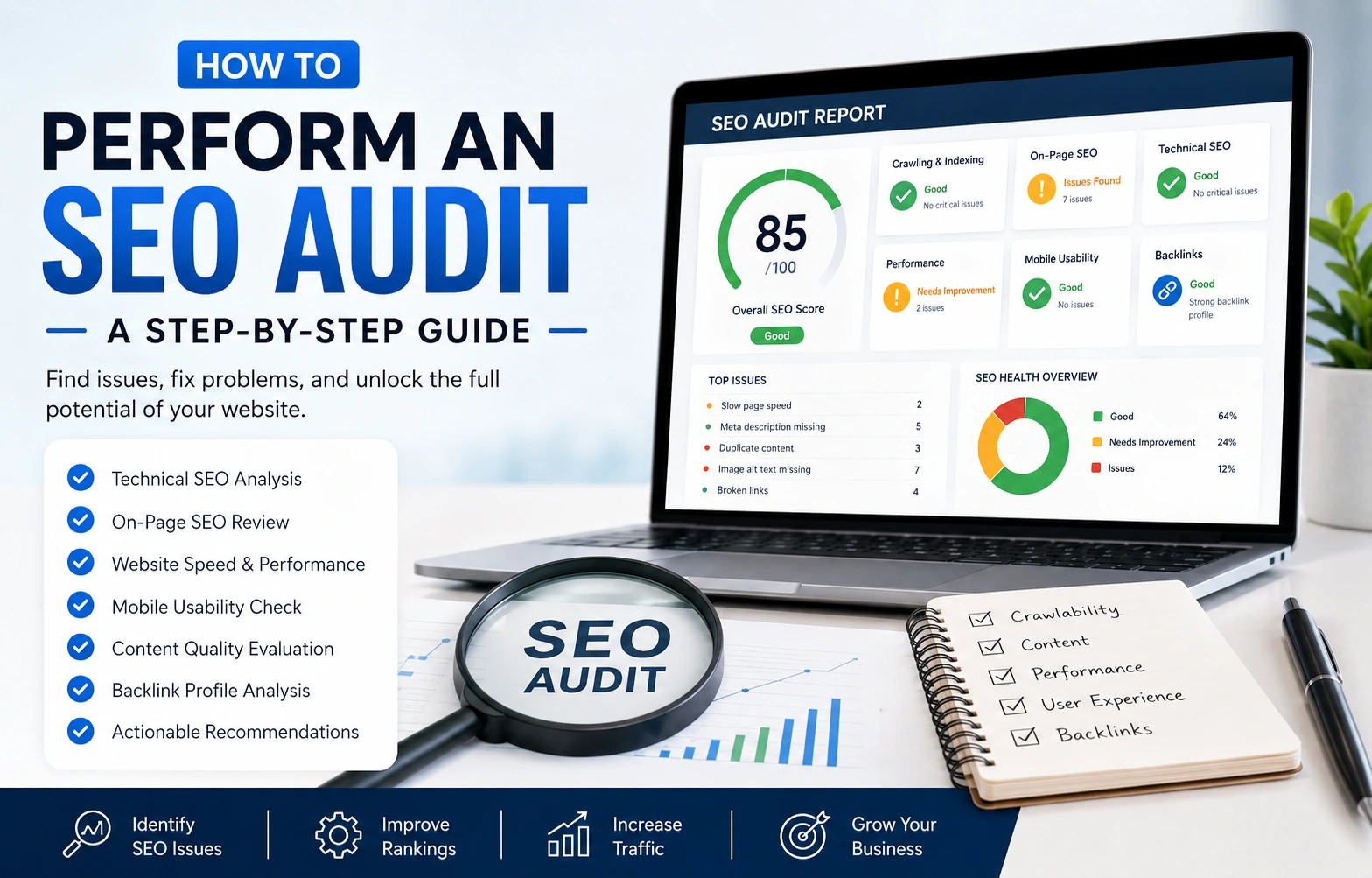
Whether you manage a personal portfolio, a business website, or an eCommerce store, performing regular SEO audits ensures your website remains healthy, competitive, and aligned with Google’s latest best practices.In this guide, you’ll learn exactly how to perform a complete SEO audit—from checking crawlability and website speed to analysing content quality, backlinks, and keyword performance.
What Is an SEO Audit?
An SEO audit is a systematic review of every factor that influences your website’s performance in search engines.
The goal is to identify problems that limit visibility in search results and uncover opportunities to improve rankings and drive more qualified traffic.
Think of it as a regular health check-up for your website. Just as routine medical check-ups help prevent future health issues, regular SEO audits help detect website problems before they begin affecting your rankings.
Why Is an SEO Audit Important?
Google uses hundreds of ranking signals to determine which websites deserve to appear at the top of search results. Even minor technical issues can reduce your website’s ability to rank well.
A complete SEO audit helps you discover pages that Google cannot crawl or index. It helps you improve website speed and Core Web Vitals. It helps you identify duplicate or outdated content. It helps you fix broken internal and external links. It helps you improve user experience. It helps you strengthen your website architecture. It helps you increase organic visibility. It also helps you improve conversion opportunities.
Most importantly, SEO audits help you stay ahead of competitors by continuously improving your website instead of waiting for rankings to decline.
When Should You Perform an SEO Audit?
Although there is no fixed schedule, most websites benefit from a complete SEO audit every three to six months.
You should also perform an audit when:
- Launching a new website
- Redesigning your website
- Experiencing a sudden drop in rankings
- Losing organic traffic
- Before starting a new SEO campaign
- After major Google algorithm updates
Regular audits help identify issues before they become costly problems.
Step 1: Check Website Crawlability and Indexing
Search engines must first discover your pages before they can rank them.Start by checking whether Google has indexed your website. Search: site.com
Review the results carefully.
Look for:
- Important pages missing from Google
- Duplicate pages
- Old URLs still appearing
- Test pages accidentally indexed
- Unwanted archive pages
If Google cannot crawl or index your pages properly, no amount of content optimisation will improve rankings. Also review the Coverage and Pages reports in Google Search Console to identify indexing errors, excluded pages, and crawl issues.
Step 2: Review Technical SEO
Technical SEO forms the foundation of every successful website.Without strong technical health, search engines may struggle to understand your content.
Review the following:
HTTPS Security
Your website should use HTTPS rather than HTTP.A secure website protects user data and is considered a trust signal by Google.
XML Sitemap
Your XML sitemap helps search engines discover important pages quickly.
Ensure it:
- Includes important pages
- Excludes duplicate pages
- Updates automatically
- Is submitted in Google Search Console
Robots.txt
Review your robots.txt file to ensure you’re not accidentally blocking important pages from being crawled.
Broken Links
Broken links create poor user experiences and waste crawl budget.
Use crawling tools to identify:
- 404 errors
- Broken internal links
- Broken external links
Replace or redirect them appropriately.
Redirect Chains
Avoid long redirect chains.Whenever possible, redirect directly to the final destination.
Canonical Tags
Canonical tags tell Google which version of a page should be indexed.Incorrect canonicalisation may cause duplicate content issues.
Step 3: Analyse Website Speed and Core Web Vitals
Website speed has become one of the most important aspects of SEO.Slow websites not only frustrate visitors but also reduce conversions and negatively affect rankings.
Google evaluates page experience using Core Web Vitals, which measure how quickly and smoothly your website loads and responds to user interactions.
The three key metrics are:
- Largest Contentful Paint (LCP): Measures how quickly the largest visible element loads. Aim for under 2.5 seconds.
- Interaction to Next Paint (INP): Measures how responsive your website is when users interact with buttons, menus, or forms.
- Cumulative Layout Shift (CLS): Measures visual stability by tracking unexpected layout changes while a page loads.
Common causes of slow websites
- Large, uncompressed images
- Too many WordPress plugins
- Heavy JavaScript and CSS files
- Slow web hosting
- Excessive third-party scripts
- No browser caching
How to improve website speed
- Compress and resize images
- Convert images to WebP or AVIF formats
- Enable browser caching
- Minify CSS and JavaScript
- Implement lazy loading
- Use a Content Delivery Network (CDN)
- Upgrade to faster hosting if necessary
Regularly testing your website with Google PageSpeed Insights helps identify performance bottlenecks before they affect your rankings.
Step 4: Test Mobile Friendliness
Google primarily uses the mobile version of your website for indexing and ranking.This means your mobile experience is just as important as your desktop experience.
Check whether your website:
- Loads quickly on smartphones
- Uses readable font sizes
- Has properly spaced buttons
- Avoids horizontal scrolling
- Displays images correctly
- Provides a smooth navigation experience
A mobile-friendly website improves user satisfaction and supports stronger search performance.
Step 5: Audit On-Page SEO
Every important page should be individually optimised.
Review the following elements:
Title Tags
Ensure every page has:
- A unique title
- Target keyword near the beginning
- Natural wording
- Around 50–60 characters
Meta Descriptions
Good meta descriptions improve click-through rates.
Aim for:
- 150–160 characters
- Clear value proposition
- Primary keyword included naturally
Heading Structure
Use only one H1 heading per page.
Structure content logically using H2 and H3 headings to improve readability.
Image Optimisation
Every image should include:
- Descriptive filenames
- Alt text
- Appropriate file size
- Modern formats such as WebP
Keyword Placement
Include your primary keyword naturally in:
- Title
- URL
- First paragraph
- Headings
- Image alt text
- Conclusion
Avoid keyword stuffing, as it can harm readability and SEO.
Step 6: Evaluate Content Quality
Publishing content isn’t enough—it must genuinely help users.
Review each page by asking:
- Does it satisfy search intent?
- Is the information accurate?
- Is the content up to date?
- Does it provide unique insights?
- Is it better than competing pages?
- Does it answer common user questions?
Improve or remove:
- Thin content
- Duplicate pages
- Outdated statistics
- Poorly structured articles
Google rewards websites that demonstrate expertise, experience, authority, and trustworthiness.
Step 7: Review Internal Linking
Internal links connect related pages across your website and help search engines understand your site’s structure.
A good internal linking strategy:
- Improves navigation
- Distributes page authority
- Helps search engines discover new content
- Keeps visitors engaged longer
Step 8: Analyse Your Backlink Profile
Backlinks remain one of Google’s strongest ranking signals.
Focus on earning links from trusted, relevant websites rather than simply increasing the number of backlinks.
During your audit, review:
- Referring domains
- Lost backlinks
- Toxic backlinks
- Anchor text distribution
- Competitor backlink opportunities
If you identify spammy backlinks pointing to your website, assess whether they pose a genuine risk before considering disavowal. In many cases, Google is able to ignore low-quality links automatically.
Step 9: Review Keyword Performance
An SEO audit should also evaluate how well your keywords are performing.
Use Google Search Console to analyse:
- Search impressions
- Click-through rate (CTR)
- Average ranking position
- Queries driving traffic
- Pages losing visibility
Pay special attention to keywords ranking between positions 8 and 20. Improving these pages can often move them onto the first page of Google, resulting in a significant increase in organic traffic.
Step 10: Evaluate User Experience
SEO is no longer just about search engines—it is also about people.
Review whether users can easily:
- Find information
- Navigate the website
- Contact your business
- Complete forms
- Read content comfortably
Monitor metrics such as:
- Engagement time
- Bounce rate
- Navigation paths
- Conversion rate
A positive user experience supports stronger engagement and often contributes to better long-term SEO performance.
Final Thoughts
An SEO audit is one of the most valuable activities you can perform to improve your website’s long-term performance.
SEO isn’t a one-time task. Search algorithms evolve, competitors update their websites, and user expectations change. By auditing your website consistently and acting on your findings, you build a stronger foundation for sustainable organic growth.
Whether you’re managing your own website or working with an SEO professional, making SEO audits part of your regular maintenance routine will help your site remain competitive in an ever-changing digital landscape.